Why DIY Internet Setup Often Leads to Poor Signal and Frustration
If your router is hiding in a cupboard, it is not being mysterious, it is just having a WiFi-dentity crisis (sorry, we’ll see ourselves out). Most DIY internet setup problems start with small choices that cause poor WiFi signal, dropouts, slow speeds and a house full of “is it working?” muttering.
The internet coming into your home may be perfectly capable. The trouble often begins with how the signal is shared around the building. Walls, distance, old equipment, bad placement and rushed setup can all turn a decent connection into something that feels like it is powered by a sleepy hamster.
The router is in the wrong place
This is the big one. Many people plug the router in wherever the master socket, fibre point or nearest spare plug happens to be. That might be practical, but it is not always clever.
Routers like open, central spaces. They do not like being stuffed behind televisions, inside cupboards, next to fish tanks or under a pile of post that has been “temporarily” there since Easter.
A router sends signal out in all directions. If it starts its journey in a corner or cupboard, it is already fighting a losing battle by the time the signal reaches bedrooms, offices or streaming spots.
Interference is quietly causing chaos
WiFi is fussy. It shares airspace with other wireless devices, neighbouring networks, baby monitors and smart speakers. Thick stone walls, foil-backed insulation and steel beams can also make things awkward.
You can have a fast broadband package and still get poor results if the signal is being battered by interference. It is a bit like buying a fast car, then only driving it through roadworks.
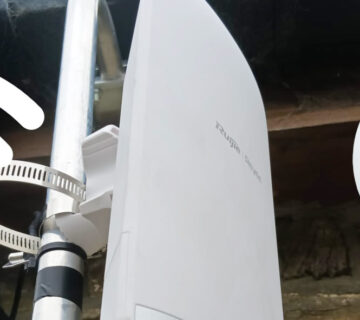
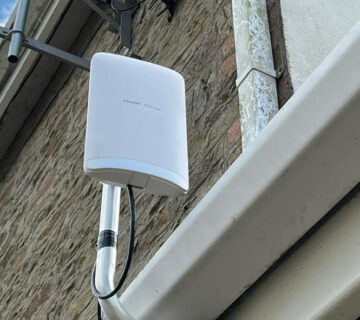
Trusted Digital Services checks the layout of your property, looks at the kit you are using, and plans the best way to get reliable coverage where you actually need it, including properly positioned professional WiFi access point installation rather than a plug-in booster that simply repeats a weak signal further into the house.
Old kit can hold everything back
That router you have had for years may still have flashing lights and a brave attitude, but it might not be up to modern life. Homes now have phones, tablets, smart TVs, consoles, doorbells and CCTV all asking for connection at once, and older routers can struggle to keep up.
We once had an engineer admit he had been blaming his laptop for slow video calls, only to realise his router was older than one of his children. To be fair, the router did not ask for school shoes every term.
Cabling is often ignored, but it matters
Everyone loves wireless until it misbehaves. For devices that need solid, reliable performance, such as smart TVs, work computers and network equipment, a wired connection can make a huge difference.
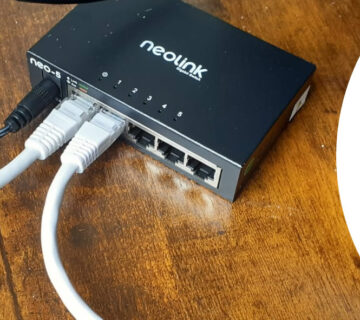
DIY setups often rely on WiFi for everything because it feels easier at the start. Trusted Digital Services can install professional data cabling and network points so key devices get a dependable wired connection, leaving the WiFi with less heavy lifting to do.
ISP guidance gets skipped, and nobody tests afterwards
We get it. Nobody opens a router box thinking, “Lovely, a leaflet.” But setup steps, activation times and recommended placement all affect performance. Ofcom also has useful advice in Ofcom’s guidance on improving your WiFi experience, particularly around positioning and avoiding interference.
A very common DIY mistake is assuming that if the WiFi name appears, the job is done. A proper setup should be tested in the rooms you actually use, not just next to the router. A connection that looks fast for ten seconds can still drop out during a work call, which is exactly when your face freezes in the least flattering possible expression.
Professional setup means fewer guesses
Trusted Digital Services does not just plug things in and hope for the best. We look at how your home or business uses the internet, where the weak spots are, and whether cabling, access points or better configuration will solve the issue properly.
Because we are based in Swansea, we understand local homes too. Terraces, thick walls, extensions, converted lofts and home offices all have their own quirks, and we install and configure WiFi, networking, data points, Starlink, CCTV and Ring Doorbells with the bigger picture in mind.
Frequently Asked Questions
Why is my WiFi slow in some rooms?
Usually it is down to distance, thick walls, interference or poor router placement. A proper survey can identify whether you need repositioning, access points or cabling.
Will a new router fix poor WiFi signal?
Sometimes, but not always. If the issue is your property layout or interference, even a good router may struggle without the right setup.
Are WiFi boosters worth using?
They can help in small, simple layouts, but they often disappoint when placed in the wrong spot. Access points or wired network points are usually more reliable for problem areas.
Why does my internet speed test look fine but streaming still buffers?
Speed tests only show part of the story. Stability, signal strength, device load and network congestion can all affect real-world performance.
Can Trusted Digital Services help with home office WiFi?
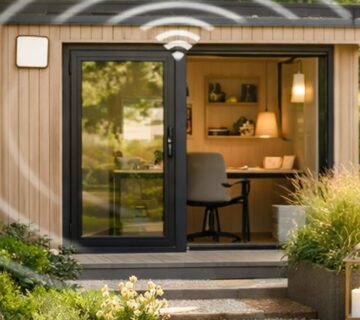
Yes. We can improve coverage, install network points and set up reliable connections for video calls, cloud work and everyday business use.
If your internet is making you question your life choices, do not wrestle with it alone. Get in touch with Trusted Digital Services today. Call us on 07976 236377, email sales@trusteddigitalservices.co.uk, or get in touch through our contact page.